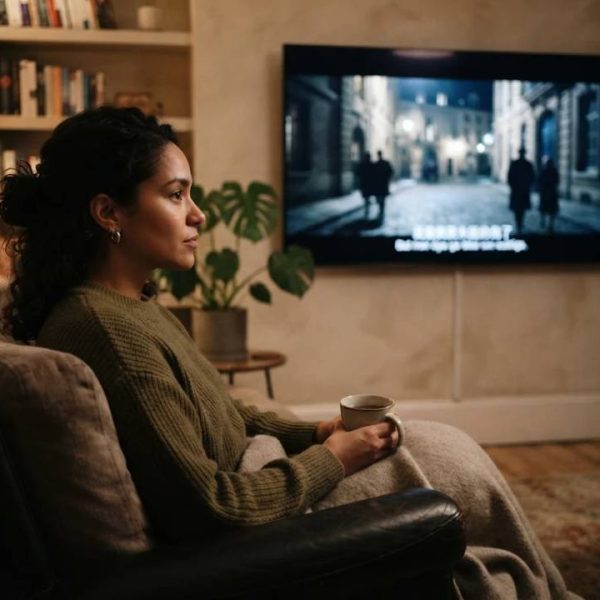
We read more words on screens than on paper. Menus, captions, app buttons, error messages, street displays and film subtitles shape our daily experience, often without a second thought. When these words are clear, we move through the world easily. When they are wrong, confusing or missing, we notice at once. This article looks at the quiet craft behind words on screens, explains how translators and writers adapt them for different languages and shows why small details such as length, tone and timing matter so much for the people who read them.
Short Text, Big Responsibility
Screen text is usually brief: a button label, a notification or a single line of dialogue. Brevity makes it hard, because every word must carry meaning and fit the space. A translator cannot add explanations without breaking the design. Choosing between two similar words can change how friendly or formal an interface feels.
Short texts need more thought per word than long ones, which is why professionals ask for context, screenshots and character limits before they translate anything.
Context Is Everything
The English word Book can be a noun or a verb, Post can mean a message or a pole and Set can describe a number of meanings. Without context, translators must guess. Provide screenshots, descriptions of where the text appears and notes about who reads it. Many errors seen in apps and games come from missing context rather than from poor language skills.
Teams that share context early produce better translations in less time.
Space and Layout
Languages differ in length. German and Finnish words are often longer than English, while Chinese and Japanese characters take less room but need larger sizes to stay readable. Designers should leave flexible space, test layouts with long strings and allow line breaks. Right-to-left languages such as Arabic and Hebrew require a mirrored interface.
Early design tests with different languages reveal problems when they are cheap to fix.
Subtitles and Captions
On video, words must be timed to speech and fit within reading limits. Captions also describe sounds for viewers who cannot hear them. The captions and subtitles accessibility guidance from the W3C explains how to make media accessible, including recommendations for synchronization and clarity.
Creating subtitles begins with an accurate transcript, and our guide on audio and video transcription explains how to prepare clean source text for translation.
Tone and Brand Voice
Apps and websites speak with a personality, such as playful, serious, warm or technical. Translators must keep that personality while following the habits of the target language. A joke that works in English may sound childish in German or rude in another culture. Style guides describe the voice and give examples of preferred phrases.
Review the translated interface in the product, because small wording changes can affect how people feel about the brand.
Asian Languages on Screen
Japanese, Chinese and Korean add questions about scripts, fonts, honorifics and line breaks. A product that needs japanese translation services must consider the mix of kanji, hiragana and katakana, the choice between polite and casual forms and the correct display of vertical or horizontal text. Native review by someone who uses the product is the best safeguard.
Test fonts on all target devices to avoid missing characters.
Testing Before Release
Linguistic testing means that native speakers use the product and report errors in context. They check truncated text, wrong variables, inconsistent terms and cultural problems. Fixes should be tracked and added to glossaries. Do this on every release, not only the first.
A short test cycle before launch is far cheaper than public corrections afterward.
Accessibility and Inclusion
Clear screen text helps everyone, and it is essential for people with visual, hearing or cognitive differences. Use plain language, good contrast, scalable fonts and meaningful labels for screen readers. Provide transcripts for audio and captions for video.
Accessible design expands your audience and reduces legal risk.
Games, Apps and Smart Devices
Entertainment software and connected devices are full of text that appears in different situations: tutorials, menus, dialogue, achievements and warnings. Teams work with spreadsheets or special platforms and must coordinate writers, translators and testers. Providing a glossary of character names, item names and recurring phrases keeps the experience consistent. Voice assistants add another layer, since spoken and written forms must match.
The more varied the product, the more valuable a central terminology database becomes.
Working With Writers and Translators
The best results come when writers and translators talk to each other. Writers can explain the intention behind a line, and translators can warn about phrases that will not travel. Consider writing source texts with translation in mind: avoid idioms, keep sentences short and use consistent terms.
This approach is often called internationalization of content, and it lowers costs across all languages.
A Habit Worth Building
Whenever you see text on a screen, ask who wrote it and who might read it in another language. Teams that treat words as part of the design, not as an afterthought, deliver interfaces and media that feel natural everywhere. Invest in clarity, context and testing, and your audience will notice the care without needing to say so.
Good words on screens are rarely praised, but bad ones are never forgotten.
Error Messages and Microcopy
Error messages, tooltips and confirmation texts are small, but they shape the experience at moments of frustration. A good message tells the user what happened, why and what to do next, in friendly language. A poor message blames the user or uses technical terms. Writers should create clear templates, and translators should keep the same helpful tone in every language.
Test messages with real users to see whether they understand the next step.
Dates, Numbers and Plurals
Languages handle plurals differently. English has one and many, while Russian and Arabic have several forms, and Japanese has none. Software must support these rules, and translators need the right placeholders. Dates, times and numbers also follow local formats, which should be generated by the system, not typed by hand.
Ask developers to use standard libraries for formatting, and verify results in each language.
Voice Assistants and Smart Devices
Voice interfaces add another layer: the text must sound natural when spoken, and it must work with the way people ask questions in each language. Scripts should be short, avoid ambiguous words and respect local politeness. Recording sessions with native voice actors improve quality.
Always test with real speakers, since accents and background noise change results.
Why Details Earn Loyalty
Users seldom thank a product for good wording, but they leave when the wording confuses them. Teams that treat screen text as part of the design deliver smoother experiences and fewer support requests.
Care in small details is one of the strongest signs of a respectful brand.